Track Your Mars Supply Program In Real Time

Grow DashboardsKey Features of Grow for Enhanced Business Intelligence

No more waiting for monthly reports!

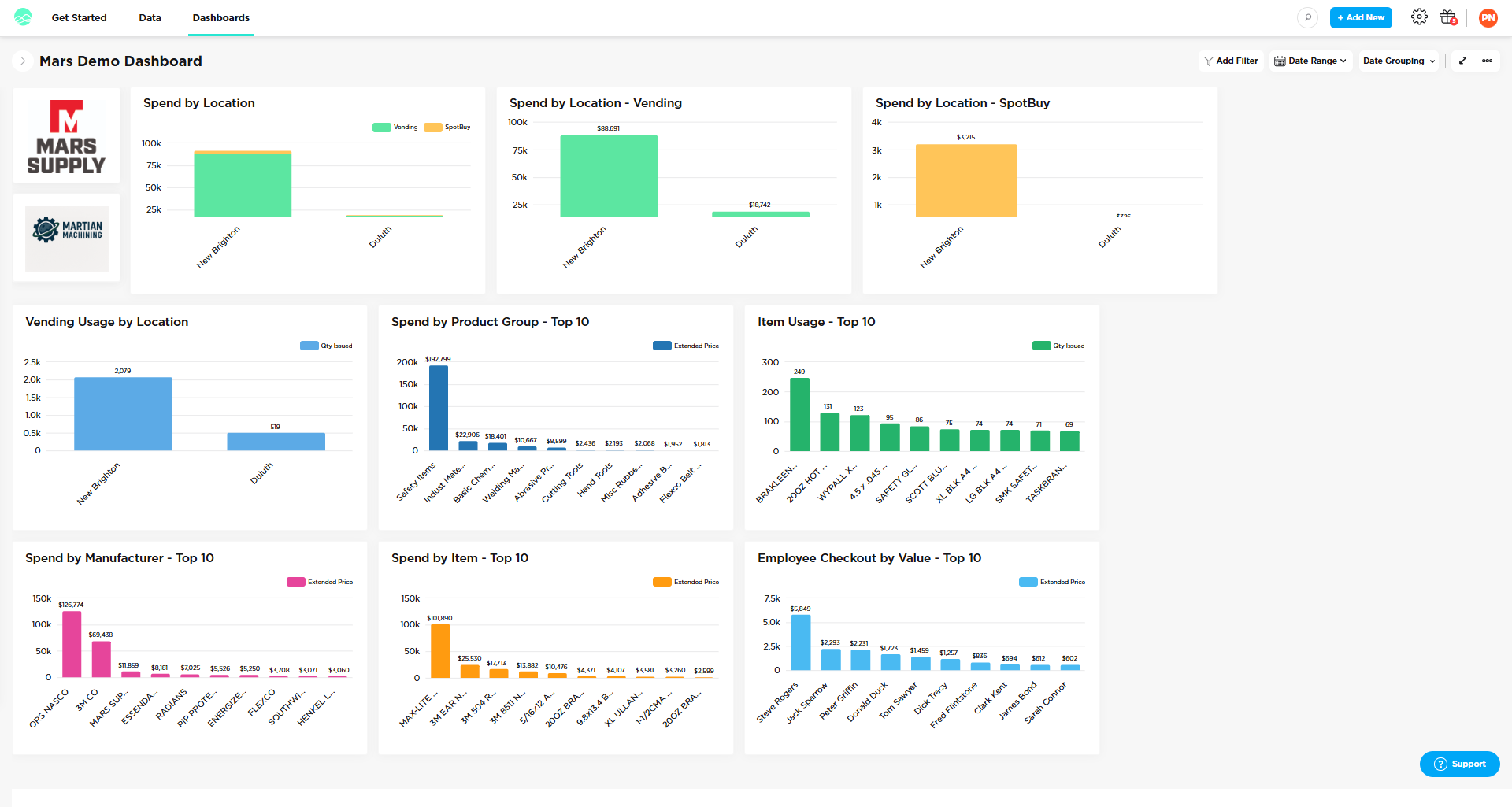
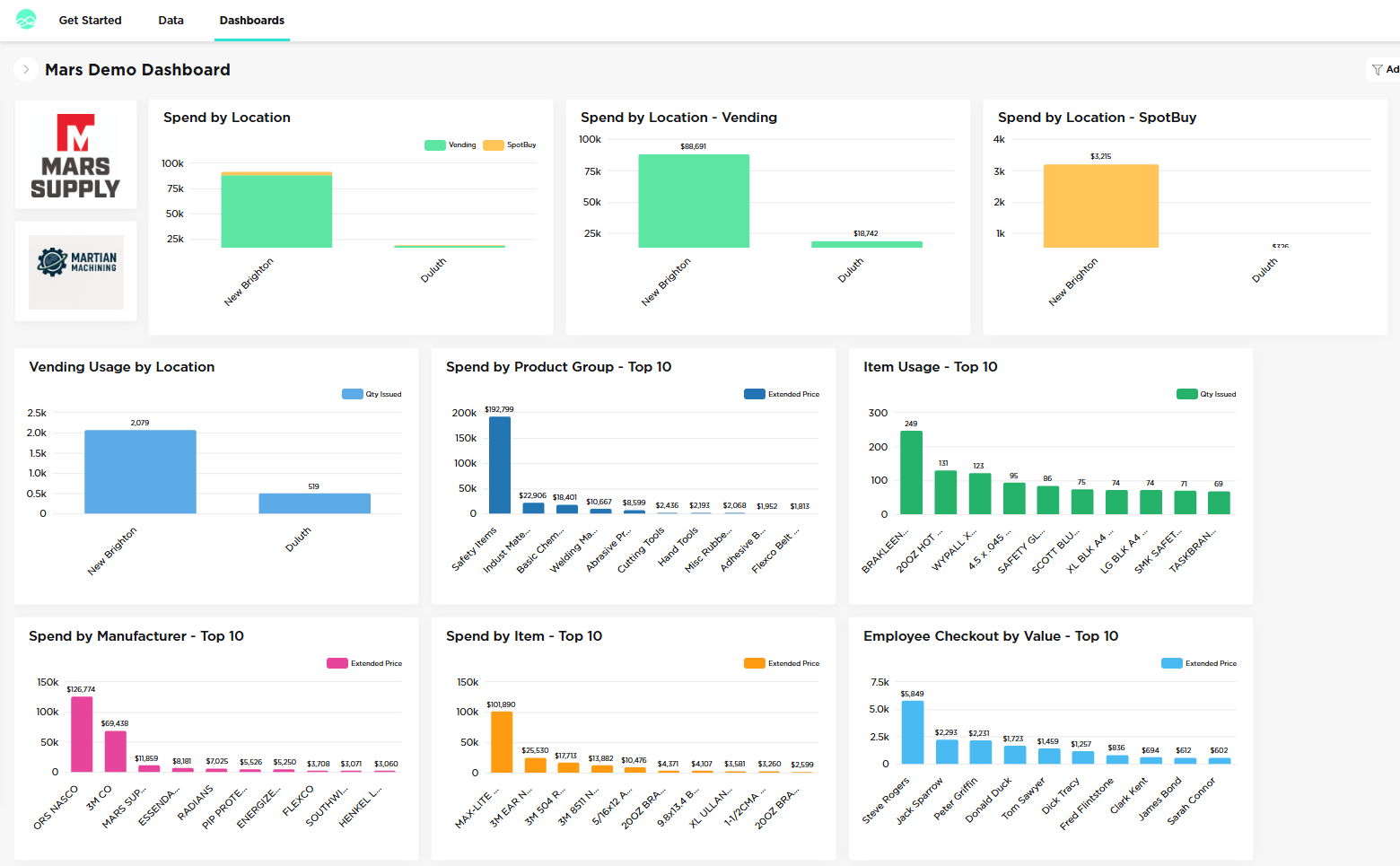
Mars Demo Dashboard in Grow showing spend by location, product group, item usage, manufacturer and employee checkout

Get the Grow Advantage

Grow Dashboards put your program data at your fingertips, helping you drive efficiencies, improve accountability, and measure savings with clarity.

See the Metrics that Matter

  • Spend by Product Category

    Spot trends and control costs.

  • Spend by Employee (Vending Programs)

    Monitor usage and accountability.

  • Open Order Status

    Track what’s ordered, shipped and delivered.

  • Cost Savings Tracking

    Measure and report value over time.

  • Filter in Grow

    Export the data to Excel for further analysis.

Why Customers Love It!

  • Change the date range to quickly view different time periods.
  • Faster Decisions — Data is always ready when you are.
  • Clear Visuals — Bar charts, gauge charts, and funnel charts make insights easy to see.
  • Secure Cloud Platform — Safe, reliable, and always available.
  • Unlimited Access — Everyone on your team can use Grow.
  • Grow mobile app available.
  • Have an idea for a metric? Let us know.
Video: a walkthrough of Grow Dashboards for Mars Supply customers.

Key Features of Grow

Dashboard Filtering

Dynamically change displayed metric data based on date, number, or categorical logic.

  • Date Range: change what data is displayed by a specific time period.
  • Date Grouping: change how displayed data is grouped by a specific date interval.
  • Filtering: define a category, number, or date filter that can be used globally.

Build Metrics in Minutes

Create a collection of metrics to answer questions from your data that address a specific use case or provide insight for a team.

Navigate Your Data

View trends and patterns more easily through data visualizations that span a number of chart types—from column and bar charts to gauge, funnel, and area charts.

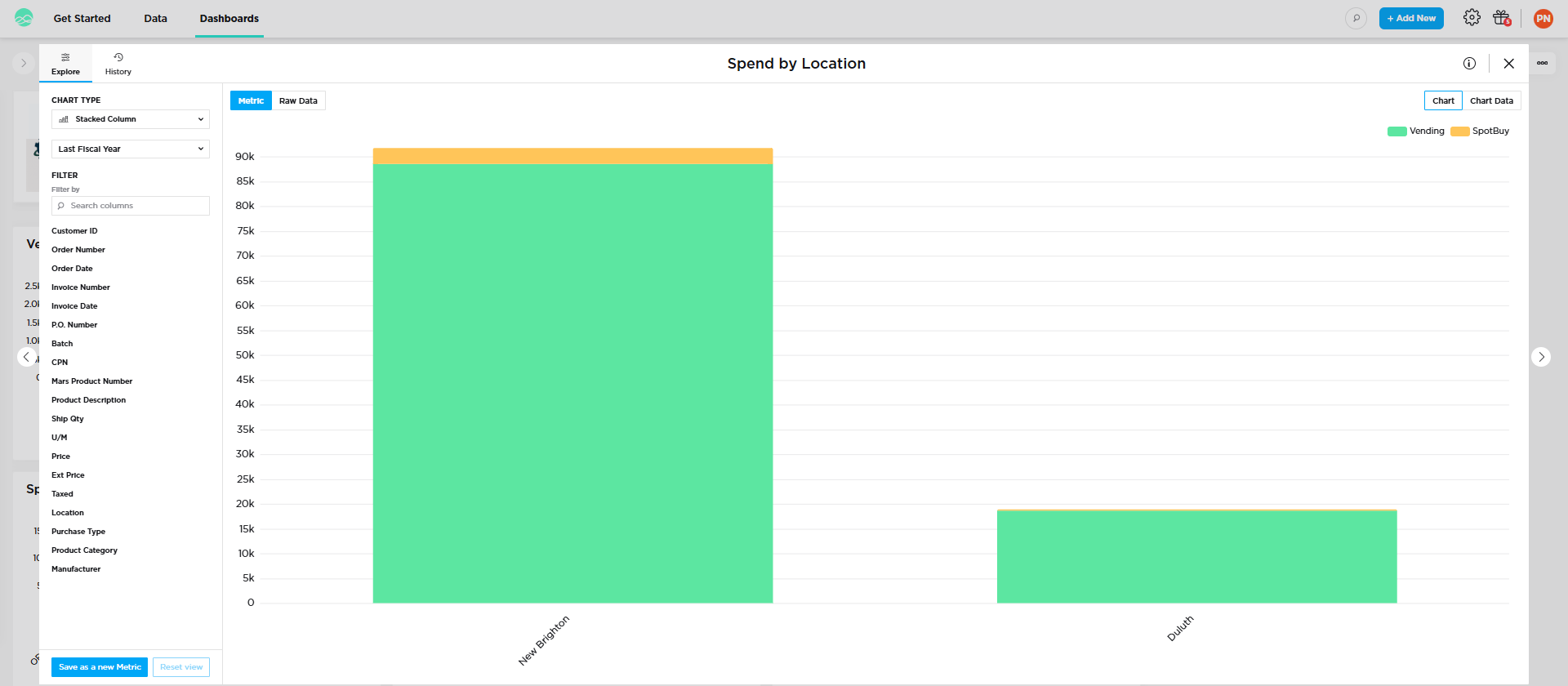
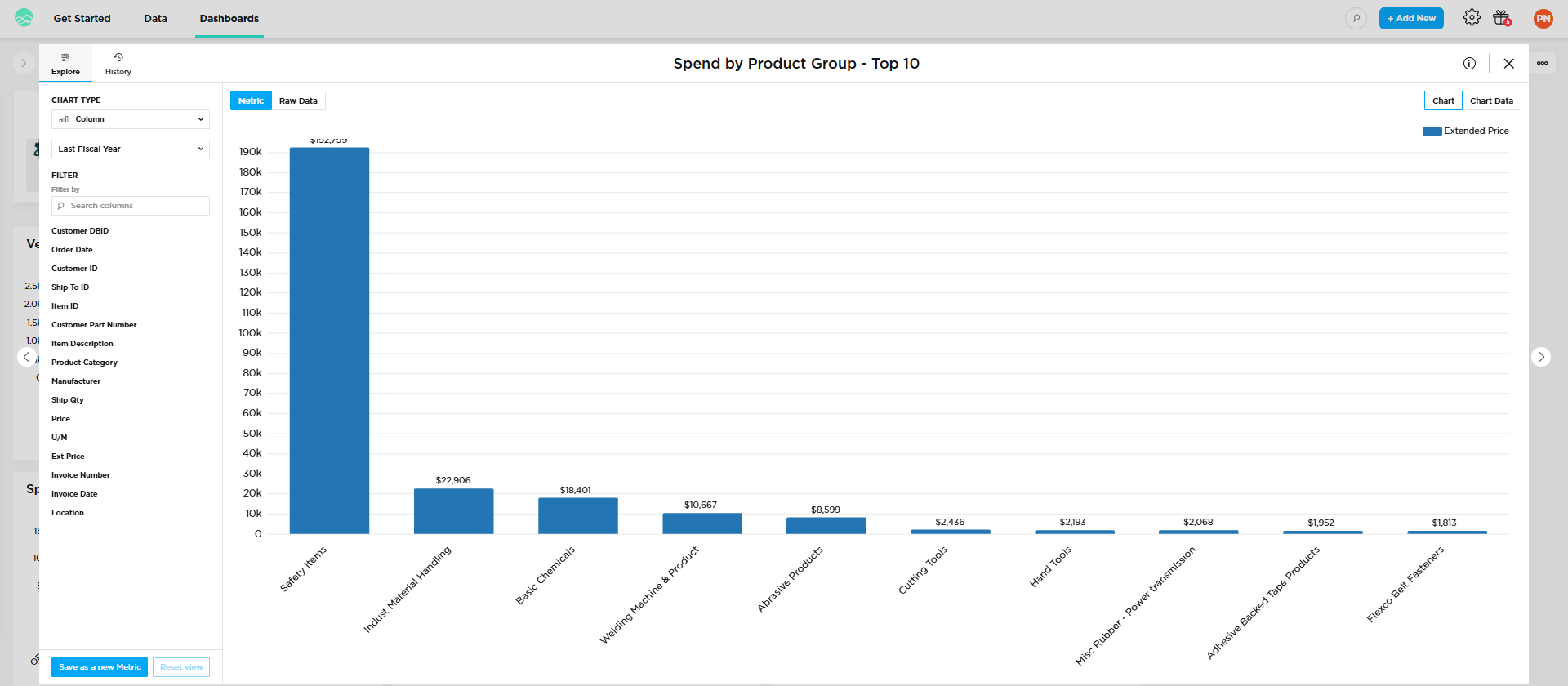
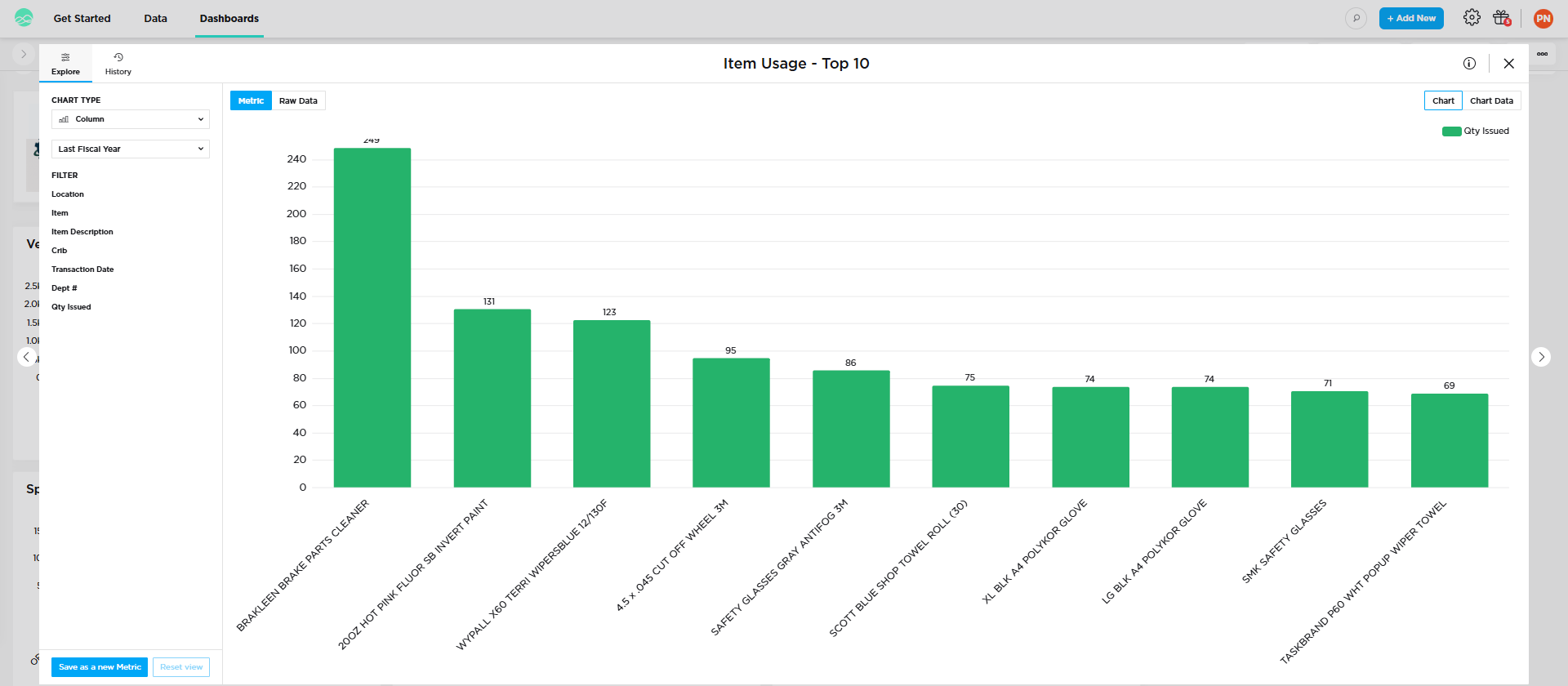
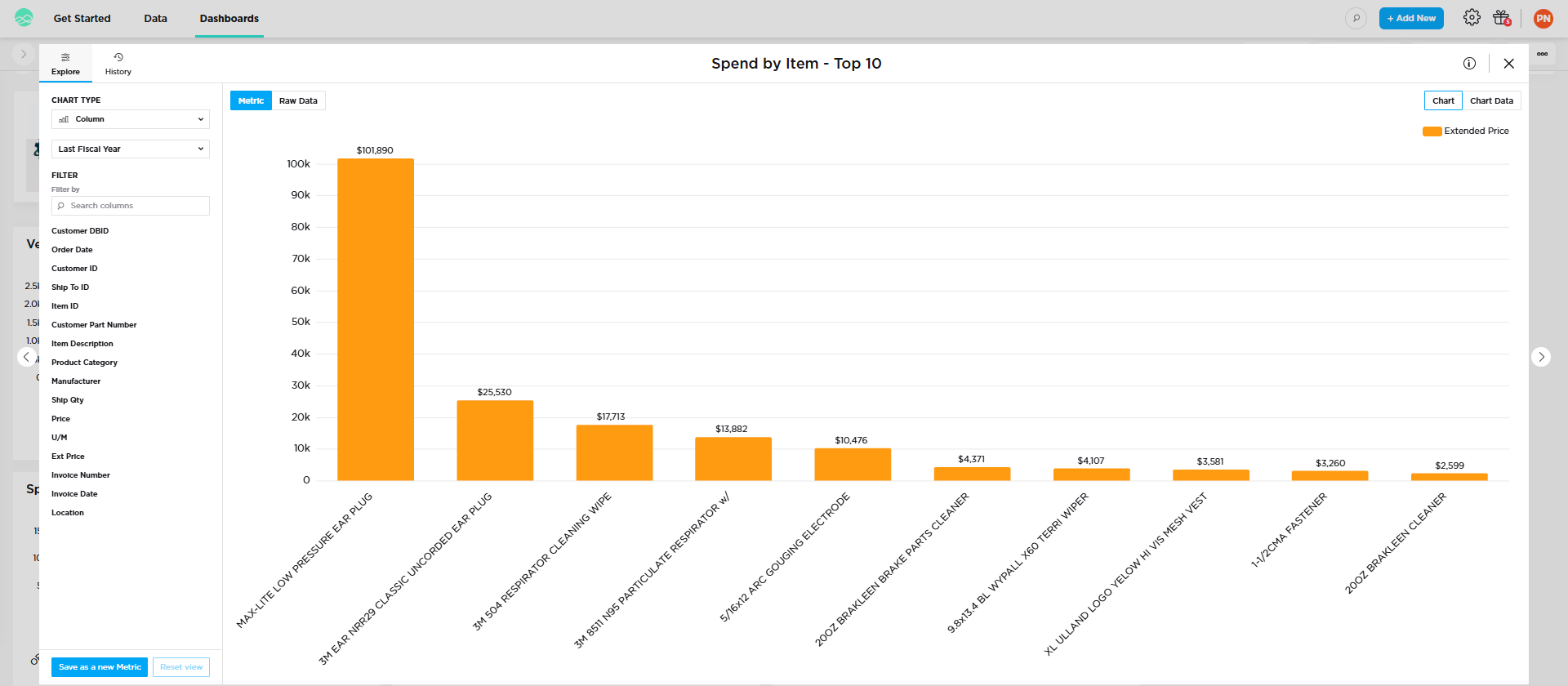
Mars Demo Dashboard overview in Grow Spend by Location stacked column chart, Vending vs SpotBuy, New Brighton and Duluth Spend by Product Group top 10 column chart Item Usage top 10 column chart by quantity issued Spend by Item top 10 column chart by extended price

Sample data from the Mars Demo Dashboard.

Make Decisions with ConfidenceMeasure Results with DataGrow with Mars Supply

Frequently Asked Questions — Grow Dashboards

What are Grow Dashboards?+

Grow Dashboards put your Mars Supply program data at your fingertips, helping you drive efficiencies, improve accountability, and measure savings with clarity. No more waiting for monthly reports.

What can I track in Grow?+

Spend by product category, spend by employee for vending programs, open order status, and cost savings tracking.

Can I export Grow data to Excel?+

Yes. Filter in Grow and export the data to Excel for further analysis.

Who on my team can use Grow?+

Unlimited access — everyone on your team can use Grow. The Grow mobile app is also available.

How do I see a demo of my Grow dashboard?+

Ask your Mars Supply representative for a live demo of your Grow dashboard today, or call 800.862.6093.

Ask for a Live Demo

Click here to learn more or ask your Mars Supply representative for a live demo of your Grow dashboard today.

Call 800.862.6093 ›Email Customer Service