
CMI at a Glance
Equipment
iPad, Bluetooth scanner & barcode labels
Provided by
Mars Supply
You provide
Wi-Fi connection
Training
In person + instructional documents
Delivery
Same-day in our same-day zone*
Why Customer Managed Inventory?
What Is Customer Managed Inventory (CMI)?
Customer Managed Inventory (CMI) is a Mars Supply program that streamlines and organizes your daily purchasing: you scan product barcode labels, enter quantities on an iPad, and replenishment is triggered by your input.
Successful inventory management is a tough task so, fortunately, there is a system out there that can take a lot of pain out of the process. Do you spend too much time using outdated methods for inventory management or purchase order processing? CMI is ideal for companies of all sizes and an alternative to AutoCrib vending programs.
- Paperless ordering
- Barcode scanning
- Companies of all sizes

Features and Benefits
What Are the Benefits of the Mars Supply CMI Program?
CMI saves time and money: Mars Supply provides all the equipment, implementation is fast, and ordering takes a scan instead of a purchase-order process.
-
All Equipment Provided by Mars Supply
-
Fast Implementation
-
Alternative Solution to Vending Machines
-
Streamlined Efficient Ordering
-
Same-Day Shipping*
* Must be located in our same-day zone and order placed by specific time.
… and if that’s not enough, there’s more …
- Easy to use
- Minimal human error
- Low overhead — stay well stocked, never overstocked
- Constant communication between customer and supplier
- Ideal for companies of all sizes
- Automatic replenishment triggered by customer input
- Paperless and convenient
- Wireless handheld scanning technology that fits in the palm of your hand
- Real-time spend and usage reporting with Grow Dashboards
Scan. Order. Restock.
How Does CMI Work?
Ordering with CMI takes three steps, and your team is trained in person before you start.
-
Scan the Barcode Label
Use the Bluetooth scanner on the product barcode label at the bin or shelf.
-
Enter the Quantity on the iPad
See the item on the iPad and enter the quantity you need.
-
Send the Order to Mars Supply
Check out and your order is sent to Mars Supply for replenishment.

Included in the Program
What Is Provided by Mars Supply?
Mars Supply provides everything you need to run CMI. The only thing you need to provide is the Wi-Fi connection.
Provided by Mars Supply
- iPad with Case
- Kiosk-Mode Password
- Bluetooth Scanner
- In-Person Training + Instructional Documents
- Product Barcode Labels
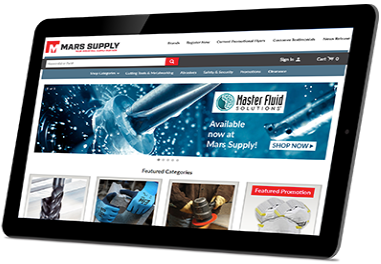


Compare Inventory Programs
CMI or Vending: Which Fits Your Shop?
Choose CMI when you want simple, paperless reordering with no machine on your floor. Choose vending when you need to control and track which employee takes each item.
| CMI | AutoCrib Vending | |
|---|---|---|
| How you order | Scan a barcode label, enter the quantity on an iPad | Employees take items from a vending machine that records each transaction |
| Equipment | iPad with case, Bluetooth scanner, barcode labels — provided by Mars Supply | AutoCrib vending machine on your floor, provided by Mars Supply |
| You provide | Wi-Fi connection | Floor space, power and a network connection. We work with you on the best location. |
| Best for | Companies of all sizes that want low-overhead, paperless ordering | Shops that need item-level control of high-use tooling and PPE |
Considering vending? See Mars Supply AutoCrib vending programs.
Current Customer Testimonials
Mars built a new barcode scanning system to fit our needs. Their new iPad fits comfortably in your hand while using the scanner to scan barcodes. I can then easily look at the item on the iPad and enter the correct quantity — something I could not do before. I then proceed to my checkout and my order is sent to my Supervisor for approval. We use a blanket P.O. and are billed on one combined invoice at the end of each month.
Mars Supply has done wonders for Machining Specialists over the years but what they’ve done for me recently has truly streamlined my process of buying tooling and other supplies. Mars installed a new customer managed inventory supply program and outfitted me with an iPad, scanner, and labels to make my ordering a breeze. We’re a smaller company which means we all have to wear a lot of hats to accomplish our goals and by taking time out of my tool ordering process, Mars Supply has done just that for us. A big thanks to Craig Hammond, Andrew Watters and Pete Naleid and the rest of the inside staff for getting us to our goals!
Is CMI Right for You?
Reach out to your Mars Supply representative or contact us to discover how CMI can benefit you and your business. Ask for a free demo today!
Request a Free Demo ›Frequently Asked Questions – CMI Program
What is Customer Managed Inventory (CMI) at Mars Supply?
Mars Supply Customer Managed Inventory, or CMI, is an inventory management program that streamlines and organizes your daily purchasing. You scan product barcode labels with a Bluetooth scanner, enter quantities on an iPad, and your order is sent to Mars Supply. Replenishment is triggered by customer input.
What does Mars Supply provide for CMI?
Mars Supply provides an iPad with case, a kiosk-mode password, a Bluetooth scanner, in-person training with instructional documents, and product barcode labels. All equipment is provided by Mars Supply.
What do I need to provide for CMI?
The only thing you need to provide is the Wi-Fi connection.
Is there a cost for the CMI equipment?
No. Mars Supply provides all CMI equipment at no cost; the only thing you need to provide is the Wi-Fi connection.
Is CMI an alternative to vending machines?
Yes. CMI is an alternative solution to vending machines for managing inventory and purchasing. See the CMI vs vending comparison above.
Is CMI a good fit for small companies?
Yes. CMI is ideal for companies of all sizes, with low overhead and paperless ordering.
Does CMI include same-day shipping?
Same-day shipping is available when you are located in the Mars Supply same-day zone and the order is placed by a specific time.
How do I get started with CMI?
Reach out to your Mars Supply representative or fill out the form on this page, and ask for a free demo.
Looking for other inventory programs? See all Mars Supply Customer Programs.